19 posts tagged with "Automation"

Automated workflows and dynamic tool creation

View All Tags

Agents on Every MCP Server You Enable

· 4 min read
MCPBundles

TL;DR

  • You can attach an A2A agent to any MCP server in your workspace—the same catalog surface you use from Claude or Cursor—not only from the Hub.
  • Agent instructions are enough to run manually or from chat; a heartbeat checklist is optional and mainly for recurring scheduled runs.
  • On a bundle MCP connection, agent tools use the same names as the Hub (get_agents, upsert_agent, trigger_agent_run, and the rest).

It's Tuesday standup and someone asks whether yesterday's Google Ads spend spiked for a client you do not have open in another tab. You already have the MCP server in Cursor. What you want is a named assistant on that server that you can wake on demand or on a clock.

That is the workflow we optimized this week.

ElevenLabs Voice AI Workflows for Creators and Marketers

· 4 min read
MCPBundles

TL;DR

  • The ElevenLabs MCP server connects your agent to voice discovery, speech generation, generation history, and plan usage after you connect your ElevenLabs account in MCPBundles.
  • ElevenLabs' flagship voices ship in 70+ languages with expressive delivery controls (Sacra company profile, 2026) — marketers batch ad reads and course intros without re-recording every script tweak in a studio.
  • Built for producers and marketing teams who pick a voice once, iterate on tone in chat, and review what shipped last week before the client call.

It's Thursday afternoon and the client wants the product explainer re-read — warmer, ten percent slower, same voice as Tuesday's draft. You're toggling between a doc, the voice library, and a folder of MP3 exports while the producer asks which account voice you used on the Harbor Legal spot.

That's a normal week for teams who already pay for ElevenLabs. The ElevenLabs integration on MCPBundles is for keeping script, voice choice, and export in one thread.

Fastmail Email Workflows with AI

· 4 min read
MCPBundles

TL;DR

  • The Fastmail MCP server connects your agent to search, threads, send, and masked addresses after you connect your Fastmail account in MCPBundles.
  • Fastmail is a paid email service that does not scan messages for ads or sell inbox data to advertisers — operators who live in email want triage and thread catch-ups, not another tab beside the compose window.
  • Built for founders, assistants, and client services leads who need a morning brief, a contract-thread recap, and one-click follow-ups from chat.

Your inbox opens at eight and twelve threads already look urgent. Three are the same Riverside Dental contract negotiation spread across forwards, one vendor trial needs a masked address before checkout, and the founder wants a one-paragraph summary of what Acme Dental decided yesterday — without you rereading forty messages.

That's a normal Fastmail morning for operators who chose paid email for focus and privacy. The Fastmail integration on MCPBundles is for assembling the brief in one ask.

Gorgias E-Commerce Support Workflows with AI

· 5 min read
MCPBundles

TL;DR

  • The Gorgias MCP server connects your agent to inbox views, tickets, customers, tags, macros, and satisfaction scores after you sign in with Gorgias on MCPBundles.
  • Gorgias powers customer conversations for 17,000+ ecommerce brands globally — morning triage and pre-reply context are where chat beats another dashboard tab.
  • Built for support leads and CX managers who need ranked open queues, shopper history, and CSAT pulse checks before standup, not a feature tour of the helpdesk.

Black Friday spilled into Monday. Your Shopify queue shows forty-two open threads, twelve tagged "shipping delay," and three VIP customers who've emailed twice since Saturday. The standup lead doesn't want a CSV export — she wants who to call back first, what was already promised, and whether yesterday's CSAT dip was real or a bad sample.

That's the Monday most DTC support teams already run. The Gorgias integration on MCPBundles is for compressing it into one conversation.

Zendesk Support Ticket Workflows with AI

· 4 min read
MCPBundles

TL;DR

  • The Zendesk MCP server connects your agent to tickets, users, help center articles, and safe status updates after you connect your Zendesk workspace in MCPBundles.
  • Blended support teams typically handle 17 to 25 tickets per agent per day (Zendesk Benchmark Report 2025, citing Zendesk) — morning triage and reply prep are where chat beats another queue tab.
  • Built for support leads and agents who need ranked open work, draft replies grounded in the full thread, and help center matches before standup.

Seven forty-five on Monday and your Zendesk view still shows twenty-eight open tickets from the weekend. Two are billing escalations, one customer emailed three times under different subjects, and the help center article your team usually links on password resets moved last month. The lead doesn't want a spreadsheet — she wants who gets a human first and what was already promised.

That's the inbox most Zendesk teams already run. The Zendesk integration on MCPBundles is for compressing it into one conversation.

inFlow Inventory with AI: Warehouse Ops Need Workflows, Not One-Line Stock Answers

· 5 min read
MCPBundles

TL;DR

  • The inFlow Inventory integration is built for multi-step warehouse work — stock by location, trading partners, purchase and sales orders, transfers — not isolated product lookups.
  • inFlow’s own guidance treats spreadsheets across sites as error-prone; software that tracks location-level stock is how distributors avoid reordering the wrong site.
  • Connect with your API key and company ID, then ask in plain language: "Which SKUs are out at Eastern Warehouse but still have cover at Western?"

Monday at Northline Supply. Retail counter looks fine; wholesale doesn't. Three fast movers that ship from Eastern Warehouse are at zero while Western still has full pallets of the same SKUs. I've watched ops leads burn an hour clicking product records one by one before someone notices the buildings disagree.

A single on-hand number won't save you. The work is customers, vendors, two warehouses, POs, SOs, and the transfers that move stock between them without another emergency buy.

The inFlow Inventory integration on MCPBundles is for those threads — the ones that normally mean five tabs and a spreadsheet export.

Zotero with AI: Run Your Research Library From Chat

· 8 min read
MCPBundles

TL;DR

  • The Zotero MCP server lets an AI assistant work with your library the way you do — search saved papers, read citation details and notes, download PDFs, build collections, and tidy missing fields.
  • Connect your Zotero account for full read and edit, or read straight from the Zotero app on your computer when you want a fast, private look without syncing anything new.
  • It is for researchers, PhD students, and literature-review teams who are tired of clicking through a reference manager one paper at a time — can I actually move this review forward?, not can I search the web?

If you keep your reading in Zotero, most "AI for research" demos miss the point. They search the open web, summarize a paper you pasted in, and stop. The work that actually eats your week lives somewhere else: in the few hundred references already sitting in your library, half of them missing a year or a clean author list, a third with no PDF attached.

n8n Automation MCP: Connect Your Instance, Deploy from Claude Code

· 5 min read
MCPBundles

TL;DR

  • n8n Automation MCP on MCPBundles connects your self-hosted n8n instance to Claude Code — backed by a materialized index of 1,888 node types, 9,820 community templates, and 73 expression guides.
  • Ask in plain language to find a popular Slack alert pattern, draft a form-to-email flow, check wiring before anything goes live, deploy to your server, and auto-repair failed runs.
  • Built for automation leads, RevOps builders, and integration consultants who already run self-hosted n8n and want chat to start from real examples — not from memory or forum screenshots.

Picture Tuesday at a mid-size SaaS shop. The RevOps lead owes the sales team a Slack ping whenever a high-value lead lands in the CRM. She knows n8n can do it — she's done similar flows before — but the node names changed, the IF branch wiring is fussy, and the last agent attempt invented a node type that doesn't exist. Normally that's an hour on the template gallery, a forum thread, and paste-and-pray in the editor.

n8n Automation MCP is for that loop. Search what the community already built, inspect how it wires together, draft offline, fix obvious mistakes, deploy to your instance, and retry with run-and-repair when something breaks.

SolarWinds Service Desk with AI: ITSM Workflows That Start With the Queue

· 6 min read
MCPBundles

TL;DR

  • The SolarWinds Service Desk MCP server reads your live tenant — incidents, problems, changes, CMDB rows, knowledge articles, and vendor contracts — from chat instead of five admin modules.
  • Built for the questions that hit before anyone opens a saved filter: unassigned P1s for standup, the problem behind a VPN spike, London site CIs before CAB, the MFA article tier one keeps retyping.
  • Service desk managers, L2 engineers, change managers, and CMDB owners who already live in SolarWinds but lose an hour a day to tab shuffle.

SolarWinds Service Desk is good at being the system of record. It is less good at being the place you think when someone asks a question in Slack two minutes before standup.

That question rarely fits one module. Standup wants the incident backlog and which assignment groups are drowning. L2 wants the problem record tied to last week's VPN spike — not ticket six on the same root cause. Change management wants hardware and configuration items at the London site before CAB, not a spreadsheet someone exported in February. Tier one wants the published MFA article, not another pasted reply from memory.

None of that is "learn to prompt better." It is normal ITSM work that cuts across queues, and the admin UI was built for people who stay inside it all day.

The SolarWinds Service Desk MCP server on MCPBundles connects your tenant to the agent host you already use — Cursor, Claude, ChatGPT, whatever — so those cross-module questions get answered in the thread where the decision is happening.

Cartoon illustration of an IT service desk with support tickets flowing through incident, problem, and change queues on colorful screens

SonarCloud with AI: Code Quality Workflows That Start at the Gate

· 5 min read
MCPBundles

TL;DR

  • The SonarCloud MCP server reads your connected tenant — orgs, projects, issues, gates, hotspots, measures — from chat instead of five SonarCloud tabs before standup.
  • Built for the questions that land minutes before deploy: gate status on main, blockers still open, hotspots waiting for human review, which PR failed analysis last night.
  • Engineering leads, platform engineers, and security champions who already run SonarCloud in CI but hate exporting lists when someone asks in Slack.

SonarCloud is good at being the quality record for a repo. It is less good at being the place you answer when the question arrives in a thread two minutes before deploy.

That question rarely stays inside one screen. Standup wants open blockers across services. Release management wants gate status on main plus coverage and vulnerability counts. Security review wants hotspots still marked TO_REVIEW — not the automatic issue list. Platform wants to know whether last night's pull request analysis passed before someone merges anyway.

None of that is "learn to prompt better." It is normal release work that cuts across projects, and the SonarCloud UI was built for people who live inside it all day.

The SonarCloud MCP server on MCPBundles connects your SonarCloud account to the agent host you already use so those cross-project questions get answered in the thread where the decision is happening.

Cartoon illustration of a code quality dashboard with green and red quality gates, bug icons, and security shields on colorful developer screens

Timely with AI: Time Tracking Workflows for Agencies and Teams

· 5 min read
MCPBundles

TL;DR

  • The Timely MCP server lets agents log hours, manage projects, and review team activity from chat — Timely's own agency research cites 1 in 5 billable hours going unrecorded when teams rely on manual timesheets.
  • Professional-services billable utilization averaged 68.9% in 2024, below the 75% threshold many firms treat as healthy (industry analysis); end-of-week reconstruction often captures only 65–75% of billable time versus ~95% with same-day logging.
  • Agency ops, project managers, consultants, and finance teams who need Friday's hours on the board before Monday — without opening another tab for every five-minute update.

Friday afternoon. The project lead realizes three people touched the same client deck but nobody logged time against the retainer project. Finance is asking for utilization before Monday. The ops person could open Timely, click through accounts, filter the week, cross-check project membership — or they could ask the question in the same chat thread where the team already decided who did what.

Timely is built for automatic and manual time capture. Every project, client, label, and time entry lives under a workspace you pick once; after you connect Timely on MCPBundles, agents can answer account-scoped questions in Cursor, Claude, ChatGPT, or whatever host you already use — without exporting a timesheet or rebuilding the week from memory on a Friday night.

Cartoon illustration of a colorful agency workspace with a time-tracking dashboard showing projects, clients, and logged hours on a friendly screen

Insightful with AI: Workforce, Projects, and Tracking Settings

· 4 min read
MCPBundles

Most workforce questions sound simple until you try to answer them from a dashboard export.

How many people are active right now? Which teams still have nobody assigned? Did we ever create the onboarding project for the April hires? Are screenshots still turned on for the remote engineering profile?

Those are Monday-morning questions for people ops, IT, and team leads — not spreadsheet jobs. The Insightful MCP server lets an AI agent answer them in chat from your connected Insightful account: teams and headcount first, projects and tasks when rollout work comes up, tracking settings when policy is on the agenda.

Cartoon illustration of a workforce analytics dashboard showing teams, projects, and task cards on a colorful office screen

Copper with AI: CRM Workflows Around the Inbox

· 4 min read
MCPBundles

The easiest way to make an AI agent dangerous in a CRM is to let it act from a search result.

Search results feel like context. They have names, owners, timestamps, and sometimes a stage. That is enough to produce a confident paragraph. It is not enough to change a customer record.

Copper work usually starts vague: the account in this Gmail thread, the renewal stuck in proposal, the customer-success handoff, the stale task nobody owns. The Copper MCP server treats those questions as account work, not table lookups.

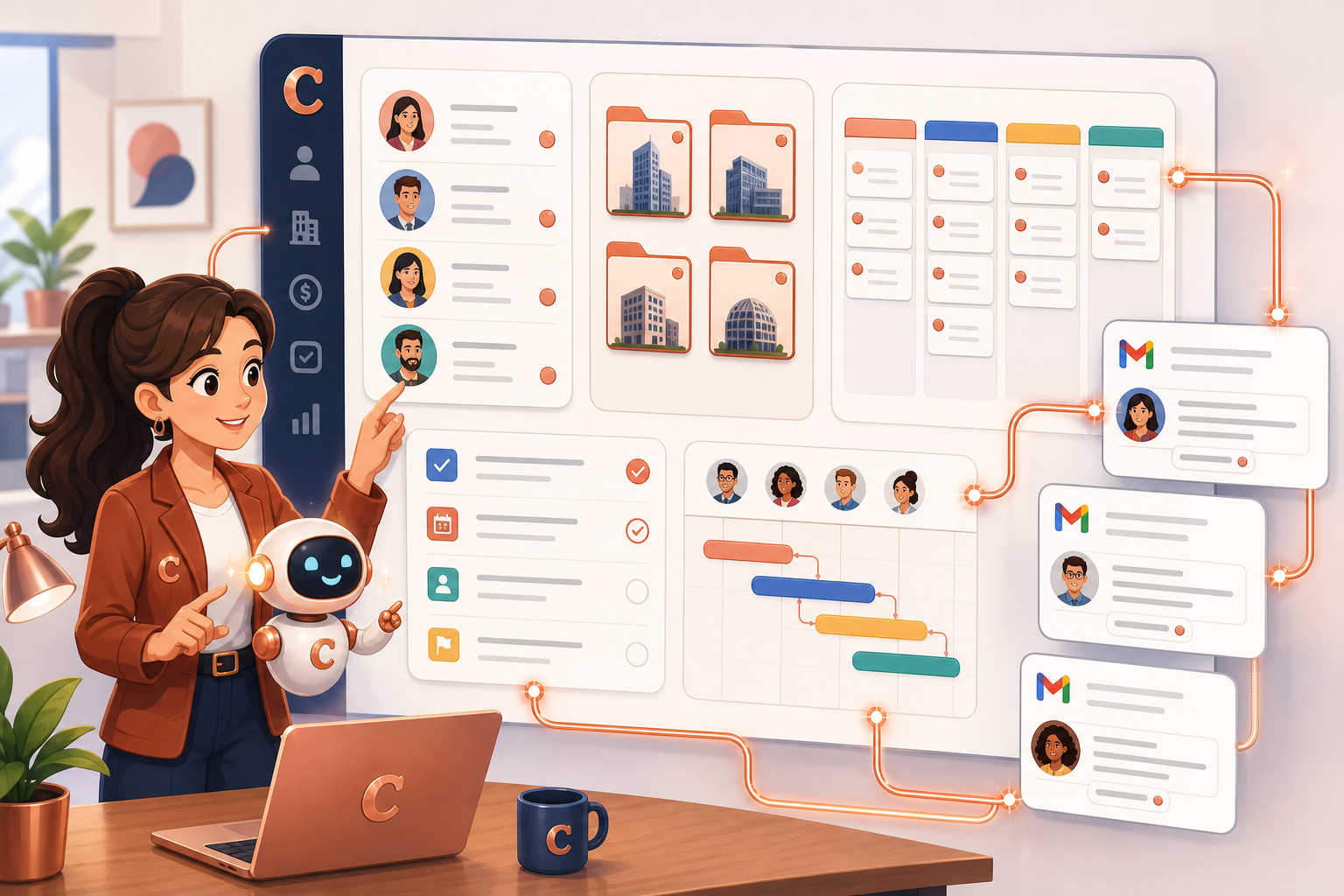
An AI sales assistant organizing Copper CRM contacts, company folders, pipeline cards, project tasks, and Gmail-style messages on a dashboard

Aircall with AI: Turning Missed Calls into Follow-Up Workflows

· 4 min read
MCPBundles

TL;DR

  • The Aircall MCP server covers calls, contacts, users, teams, numbers, tags, comments, and narrow writes — built for follow-up lists and coverage audits, not one-call summaries.
  • Missed-call triage, shift handoffs, contact hygiene, and tag consistency are the workflows support leads actually run from chat.
  • Dashboards still own standard reporting; the agent handles the messy questions that mix calls, contacts, queues, and availability in one answer.

Friday standup, ten missed calls on the board from a meeting that ran long. Two numbers match existing customers. One hit a line that should've gone to sales. Half the team still shows unavailable in Aircall. Tags on the escalations don't match what the weekly report expects. The manager doesn't want a CSV — she wants names, numbers, and who owns the callback.

I've watched that handoff eat twenty minutes of admin clicking. The Aircall integration on MCPBundles is for compressing it.

PrestaShop with AI: Store Operations Need Workflows, Not Just Product Lookups

· 4 min read
MCPBundles

TL;DR

  • The PrestaShop MCP server is built for store-operation loops — catalog, stock, orders, promotions, carriers, customer threads — not one-off product lookups.
  • Pre-launch catalog cleanup, Friday order triage, variant stock checks, and localization audits are the workflows ops leads run across five admin tabs.
  • Multi-shop installs need scope in the question; the same SKU can differ by stock and price per shop.

Your summer collection went live yesterday. Half the size and colour combos are hidden. Two homepage categories are empty because nothing underneath is active. A holiday promotion expired last week but still shows on the storefront. Shipping for one zone is broken. Nobody noticed until support tickets piled up.

That's catalog, stock, orders, promotions, carriers, and messages — not a screenshot question.

The PrestaShop integration on MCPBundles is for those threads.