52 posts tagged with "Use Cases"

Real-world use cases and workflows

View All Tags

SonarCloud with AI: Code Quality Workflows That Start at the Gate

· 5 min read
MCPBundles

TL;DR

  • The SonarCloud MCP server reads your connected tenant — orgs, projects, issues, gates, hotspots, measures — from chat instead of five SonarCloud tabs before standup.
  • Built for the questions that land minutes before deploy: gate status on main, blockers still open, hotspots waiting for human review, which PR failed analysis last night.
  • Engineering leads, platform engineers, and security champions who already run SonarCloud in CI but hate exporting lists when someone asks in Slack.

SonarCloud is good at being the quality record for a repo. It is less good at being the place you answer when the question arrives in a thread two minutes before deploy.

That question rarely stays inside one screen. Standup wants open blockers across services. Release management wants gate status on main plus coverage and vulnerability counts. Security review wants hotspots still marked TO_REVIEW — not the automatic issue list. Platform wants to know whether last night's pull request analysis passed before someone merges anyway.

None of that is "learn to prompt better." It is normal release work that cuts across projects, and the SonarCloud UI was built for people who live inside it all day.

The SonarCloud MCP server on MCPBundles connects your SonarCloud account to the agent host you already use so those cross-project questions get answered in the thread where the decision is happening.

Cartoon illustration of a code quality dashboard with green and red quality gates, bug icons, and security shields on colorful developer screens

Timely with AI: Time Tracking Workflows for Agencies and Teams

· 5 min read
MCPBundles

TL;DR

  • The Timely MCP server lets agents log hours, manage projects, and review team activity from chat — Timely's own agency research cites 1 in 5 billable hours going unrecorded when teams rely on manual timesheets.
  • Professional-services billable utilization averaged 68.9% in 2024, below the 75% threshold many firms treat as healthy (industry analysis); end-of-week reconstruction often captures only 65–75% of billable time versus ~95% with same-day logging.
  • Agency ops, project managers, consultants, and finance teams who need Friday's hours on the board before Monday — without opening another tab for every five-minute update.

Friday afternoon. The project lead realizes three people touched the same client deck but nobody logged time against the retainer project. Finance is asking for utilization before Monday. The ops person could open Timely, click through accounts, filter the week, cross-check project membership — or they could ask the question in the same chat thread where the team already decided who did what.

Timely is built for automatic and manual time capture. Every project, client, label, and time entry lives under a workspace you pick once; after you connect Timely on MCPBundles, agents can answer account-scoped questions in Cursor, Claude, ChatGPT, or whatever host you already use — without exporting a timesheet or rebuilding the week from memory on a Friday night.

Cartoon illustration of a colorful agency workspace with a time-tracking dashboard showing projects, clients, and logged hours on a friendly screen

Insightful with AI: Workforce, Projects, and Tracking Settings

· 4 min read
MCPBundles

Most workforce questions sound simple until you try to answer them from a dashboard export.

How many people are active right now? Which teams still have nobody assigned? Did we ever create the onboarding project for the April hires? Are screenshots still turned on for the remote engineering profile?

Those are Monday-morning questions for people ops, IT, and team leads — not spreadsheet jobs. The Insightful MCP server lets an AI agent answer them in chat from your connected Insightful account: teams and headcount first, projects and tasks when rollout work comes up, tracking settings when policy is on the agenda.

Cartoon illustration of a workforce analytics dashboard showing teams, projects, and task cards on a colorful office screen

Copper with AI: CRM Workflows Around the Inbox

· 4 min read
MCPBundles

The easiest way to make an AI agent dangerous in a CRM is to let it act from a search result.

Search results feel like context. They have names, owners, timestamps, and sometimes a stage. That is enough to produce a confident paragraph. It is not enough to change a customer record.

Copper work usually starts vague: the account in this Gmail thread, the renewal stuck in proposal, the customer-success handoff, the stale task nobody owns. The Copper MCP server treats those questions as account work, not table lookups.

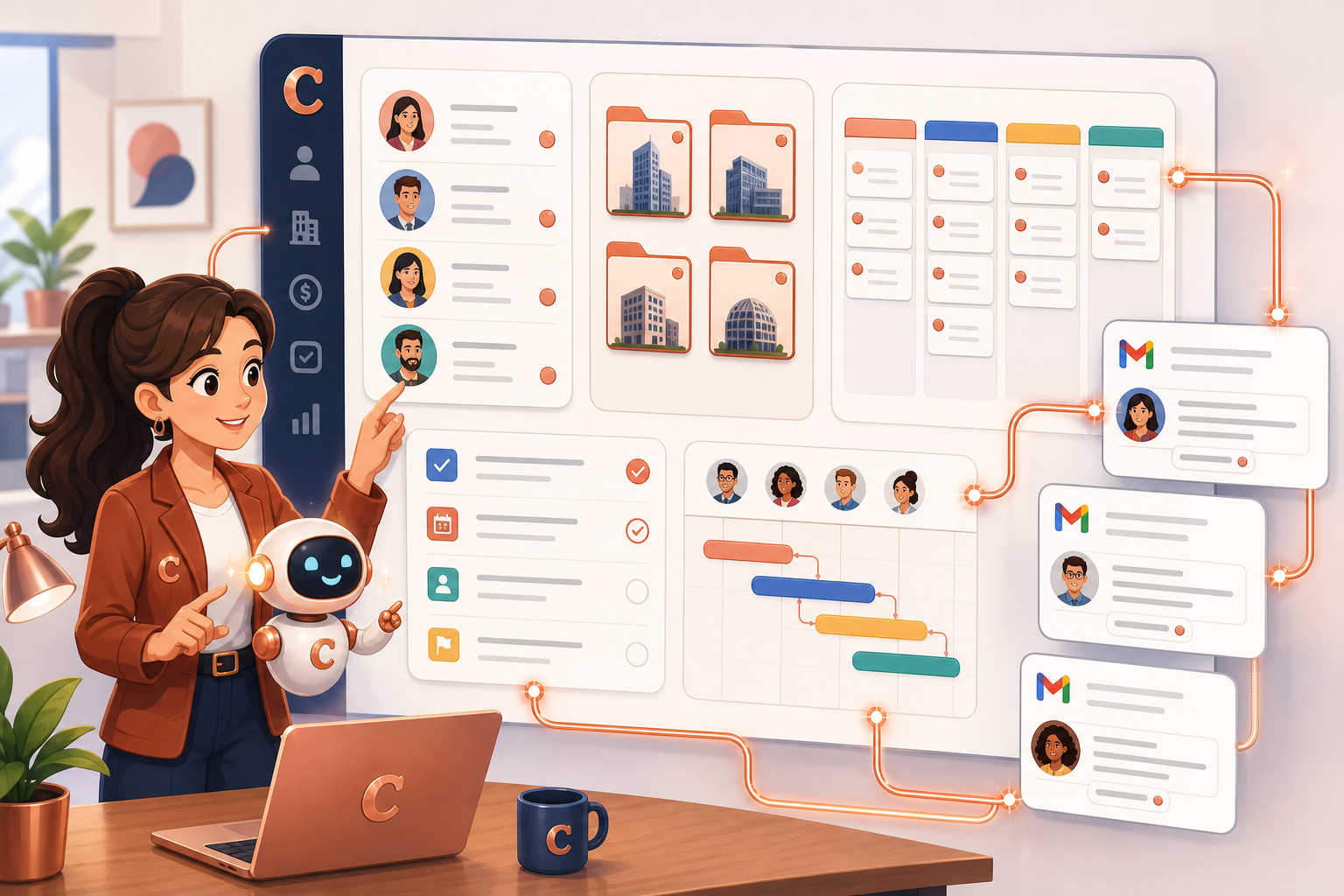
An AI sales assistant organizing Copper CRM contacts, company folders, pipeline cards, project tasks, and Gmail-style messages on a dashboard

Aircall with AI: Turning Missed Calls into Follow-Up Workflows

· 4 min read
MCPBundles

TL;DR

  • The Aircall MCP server covers calls, contacts, users, teams, numbers, tags, comments, and narrow writes — built for follow-up lists and coverage audits, not one-call summaries.
  • Missed-call triage, shift handoffs, contact hygiene, and tag consistency are the workflows support leads actually run from chat.
  • Dashboards still own standard reporting; the agent handles the messy questions that mix calls, contacts, queues, and availability in one answer.

Friday standup, ten missed calls on the board from a meeting that ran long. Two numbers match existing customers. One hit a line that should've gone to sales. Half the team still shows unavailable in Aircall. Tags on the escalations don't match what the weekly report expects. The manager doesn't want a CSV — she wants names, numbers, and who owns the callback.

I've watched that handoff eat twenty minutes of admin clicking. The Aircall integration on MCPBundles is for compressing it.

HUD FMR and Income Limits with AI: Housing Research Needs Source Data

· 4 min read
MCPBundles

Housing research questions are easy to ask and easy to answer badly.

"Is this county affordable?" "What does HUD say about rent here?" "Which income limit should I use?" "How much cost burden shows up in CHAS?"

A language model alone will blur Fair Market Rent, income limits, MTSP tables, and CHAS affordability data into one vague paragraph. The HUD Housing Data MCP server pulls the official HUD rows first, then explains what they mean — with geography and year range spelled out.

AI housing research dashboard showing HUD Fair Market Rent, income limits, and CHAS affordability cards

UK House Price Data with AI: EPC, Land Registry & Price-Per-Square-Foot Evidence

· 5 min read
MCPBundles

TL;DR

  • Query 30.8 million EPC certificates, 2.7 million UK postcodes, and 1.34 million persisted Land Registry–EPC matches through the UK Property Intelligence app and MCP server.
  • Resolve an address or postcode, pull HM Land Registry sold prices, join EPC floor area where the match is strong, and return price-per-square-foot bands with explicit confidence flags—not a black-box valuation.
  • Built for lenders, property analysts, retrofit planners, and AI agents who need show your working evidence before formal RICS sign-off.

Most AI valuation demos make the same mistake. A user types an address, the model returns a number, and everyone pretends the answer came from evidence.

That is backwards. UK property questions are only useful when the agent can show its working: nearby sold prices, EPC floor area, property type, transfer dates, postcode geography, match confidence, and the gaps where public data is thin.

We built UK Property Intelligence around that evidence loop — a bounded, inspectable report from sold prices, EPC records, and postcode context, not a false-certainty number.

UK property valuation evidence dashboard with sold-price cards, EPC rating tiles, postcode map, and an AI agent confidence indicator

PrestaShop with AI: Store Operations Need Workflows, Not Just Product Lookups

· 4 min read
MCPBundles

TL;DR

  • The PrestaShop MCP server is built for store-operation loops — catalog, stock, orders, promotions, carriers, customer threads — not one-off product lookups.
  • Pre-launch catalog cleanup, Friday order triage, variant stock checks, and localization audits are the workflows ops leads run across five admin tabs.
  • Multi-shop installs need scope in the question; the same SKU can differ by stock and price per shop.

Your summer collection went live yesterday. Half the size and colour combos are hidden. Two homepage categories are empty because nothing underneath is active. A holiday promotion expired last week but still shows on the storefront. Shipping for one zone is broken. Nobody noticed until support tickets piled up.

That's catalog, stock, orders, promotions, carriers, and messages — not a screenshot question.

The PrestaShop integration on MCPBundles is for those threads.

Breezy HR with AI: Recruiting Workflows Need Stages, Not Just CRUD

· 4 min read
MCPBundles

Most ATS automation starts with a shallow question: can an agent create, read, update, and delete candidates?

That is the wrong first question. Recruiting work follows companies, open roles, pipeline stages, and candidates — not a flat contact list. If the agent only knows "update candidate," it still has to guess which role and which stage you mean.

The Breezy HR MCP server is built for recruiting workflows: see which roles are open, who is waiting in Applied or Interviewing, add a sourced candidate to the right job, and move people through stages when the hiring team is ready.

Mendeley with AI: Literature Reviews Need Reference Workflows, Not Just Search

· 6 min read
MCPBundles

Most "AI for research papers" demos stop at search: find a paper, summarize it, maybe extract a citation. Useful for a screenshot, useless for a real review.

Picture this instead. You have 240 papers saved in Mendeley for a RAG-evaluation review. Forty are missing DOIs. Eighteen have a citation record but no attached PDF. Six are duplicates from earlier exploratory searches. Your shared group library has 30 newer papers your collaborator added last week that you have not seen yet. None of that shows up in a "search the web" demo.

We rebuilt the Mendeley MCP server around that mess. An agent now works with your library as a library — saved papers, missing metadata, PDF files, folders, annotations, groups, trash, and all.

HTS Code Lookup: Search Tariff Codes, Duty Rates, and Section 301 Surcharges with AI

· 4 min read
MCPBundles

TL;DR

  • Look up the USITC Harmonized Tariff Schedule live through the HTS Tariff MCP server99 chapters, roughly 12,000 classifiable lines — by keyword or HTS code.
  • Returns general, special, and column-2 duty rates plus Section 301/232 surcharge cross-references, so import ops can estimate landed duty and sourcing-country differences before broker review.
  • Not legal classification advice: a fast, traceable first pass that saves tab-hopping when someone asks what code and what duty apply to this product?

If you are responsible for imports, landed-cost estimates, product classification, or customs review, HTS lookup is not an academic exercise. A wrong code changes margin, delivery timing, and compliance risk.

The first question is usually simple: "What HTS code should we use for this product?" Then the real questions start. Is the description close enough? Is there a more specific subheading? What is the general duty rate? Does a Section 301 surcharge apply? Is the result reliable enough to quote from, or does it need broker review?

The HTS Tariff MCP server is built for that first-pass classification workflow. Your agent can search tariff entries, inspect the hierarchy, pull duty fields, notice surcharge references, and turn the result into a short explanation your team can actually use.

Discord with AI: Moderate Channels, Manage Threads, and Triage Support from a Chat

· 8 min read
MCPBundles

Discord MCP Server

Most Discord server management is repetitive moderation and community work. Read every message in #support to find unanswered questions, then draft and post threaded replies. Scan #general for the day's key discussions and post a summary to #daily-digest. Create separate discussion threads for each agenda item in a pinned meeting note. React with checkmarks to every completed task message. Pin important announcements so they're easy to find.

Each of those is a 15-minute task in the Discord UI and a 30-second task as a chat message — if your AI agent can actually call the Discord API. This guide is the use-case version of "AI + Discord": what you ask, what the agent does, what comes back. The protocol underneath is MCP (Model Context Protocol), the bundle is /skills/discord on MCPBundles, but the framing here is workflow-first.

Figma with AI: Audit Component Libraries, Sync Design Tokens, and Debug Webhooks from a Chat

· 9 min read
MCPBundles

Most design operations work is repetitive data movement. Audit your component library to find unused styles, then archive them. Sync design token updates from Figma variables to your codebase. Export every frame that matches a naming pattern as 2× PNG. Post review comments on every screen in a flows section. Attach dev resources (component mappings, Storybook links) to library components. Debug why a webhook stopped firing.

Each of those is a 30-minute task across Figma's UI, REST API docs, and your terminal — and a 2-minute task as a chat message — if your AI agent can actually call the Figma API at the right granularity. This guide is the use-case version of "AI + Figma": what you ask, what the agent does, what comes back. The protocol underneath is MCP (Model Context Protocol), the bundle is /skills/figma on MCPBundles, but the framing here is workflow-first.

Google Ads with AI: Research Keywords, Build Campaigns, and Read Performance from a Chat

· 10 min read
MCPBundles

Google Ads with AI

Most performance-marketing work in Google Ads is repetitive cognitive labour. Pull a search-term report, find the queries that wasted spend last week, write the negative-keyword list. Look at device performance, find that mobile CPC is up 40% with the same conversion rate, draft a bid adjustment. Spin up a campaign for next week's promo: budget, ad group, 15 keywords, an RSA with 11 headlines and 4 descriptions, all in PAUSED so nothing goes live by accident.

Each of those is a 20-minute task in the Google Ads UI and a 30-second task as a chat message — if your AI agent can actually call the Google Ads API. This guide is the use-case version of "AI + Google Ads": what you ask, what the agent does, what comes back. The protocol underneath is MCP (Model Context Protocol), the bundle is /skills/google-ads on MCPBundles, but the framing here is workflow-first.

Browser Automation with AI: Test, Scrape, and Debug Web Apps from a Chat

· 9 min read
MCPBundles

Browser automation is how you test web apps end-to-end, scrape structured data from public sites, debug production issues by replaying user journeys, and automate repetitive form-filling workflows. Navigate to any page, read its content, click buttons, fill forms, take screenshots, inspect network traffic, run JavaScript, check console errors — all programmatically through natural language.

Playwright is the industry standard for browser automation: fast, reliable, cross-browser (Chrome, Firefox, WebKit), built for modern web apps. The MCPBundles browser bundles expose Playwright as MCP tools you can call from any AI agent, with two deployment modes: Local Browser (Chrome on your machine via the desktop proxy) and Remote Browser (cloud-hosted Chrome with no local install). This guide is the use-case version of "AI + Browser": what you ask, what the agent does, what comes back.